
FBI Seizure of NetNut’s Residential Proxy Network: What It Means for Small Business and Law Firm Cybersecurity
On July 2, 2026, the FBI—working with Google’s Threat Intelligence Group and network partners—seized hundreds of domains tied to NetNut, a residential proxy platform linked to the “Popa” botnet. Google estimates the network spanned at least two million consumer devices, with 316 distinct threat clusters using suspected NetNut exit nodes in a single week this June. For small and boutique firms that operate with lean IT and distributed teams, the message is blunt: your staff’s home devices and your vendors’ tools may have quietly been part of someone else’s attack chain. This article breaks down what happened and how to respond now.
- What happened—and why it matters to legal practices
- How residential proxy botnets work (and where firms are exposed)
- Near‑term operational impacts you might feel this week
- Vendor, ethics, and compliance exposure
- 10‑step detection and hardening playbook
- What clients, courts, and insurers will ask next
- The bottom line
What happened—and why it matters to legal practices
According to reporting from independent journalist Brian Krebs, the FBI replaced NetNut infrastructure with a seizure notice on July 2, 2026, after coordinating with industry partners including Google, Lumen (Black Lotus Labs), and Shadowserver. The action followed research linking NetNut to the Popa botnet and to SDKs embedded in consumer devices—especially smart TVs and streaming boxes—that silently enrolled those devices as proxy “exit nodes.” Google’s write‑up the same day detailed actions to disable Google accounts used for command‑and‑control, push Google Play Protect detections, and share intelligence with platforms and law enforcement. Alarum Technologies, NetNut’s parent (NASDAQ: ALAR), acknowledged domain seizures and said it is cooperating with authorities.
Sources: krebsonsecurity.com, cloud.google.com, nasdaq.com, globenewswire.com.
“NetNut is among the largest residential proxy networks… GTIG estimates the size of the NetNut network to be at least 2 million devices. In a single week during June 2026, we observed 316 distinct threat clusters using suspected NetNut exit nodes.” — Google Threat Intelligence Group
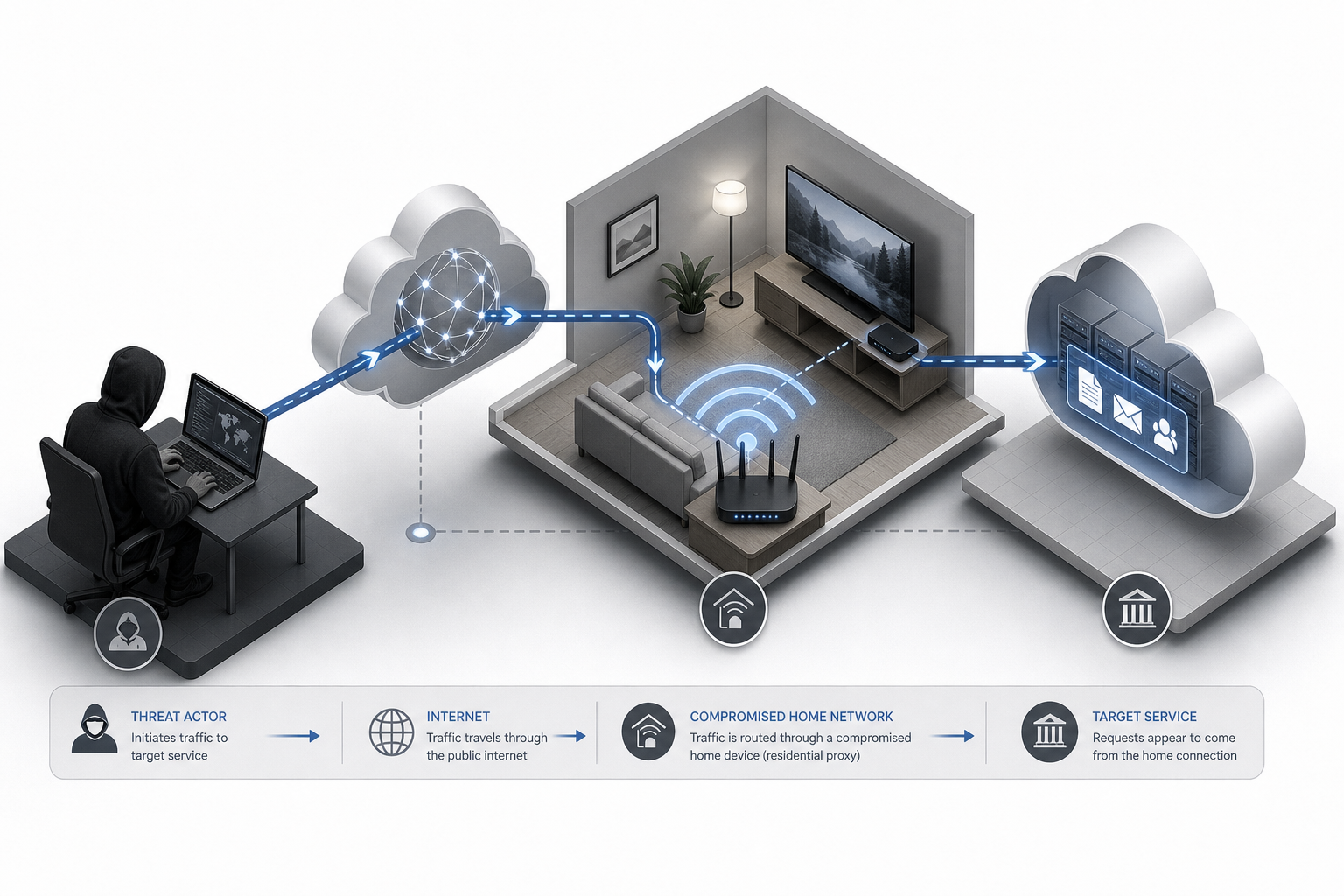
How residential proxy botnets work (and where firms are exposed)
Residential proxy networks sell the ability to route traffic through real home IP addresses—making malicious traffic look like it’s coming from a normal household. Operators achieve this scale by embedding SDKs in consumer devices or apps. When an employee’s streaming box, smart TV app, or “earn money by sharing bandwidth” program enrolls their home as an exit node, third parties can send traffic through that IP. Investigators have tied this model to scraping, credential‑stuffing, password spraying, ad fraud, and even state‑linked espionage activity.
For law firms, the exposure is twofold:
- People risk (distributed teams): Attorneys logging in from home networks can share IP space with malicious traffic, triggering lockouts, false positives, or unusual MFA prompts on your practice apps.
- Process risk (vendor behavior): Some marketing, data enrichment, or docket‑monitoring vendors may rely on residential proxies to avoid rate limits or geofences. If a vendor was leaning on NetNut (even via a reseller), you could see degraded reliability, legal/ToS issues, or reputational blowback.
More background: cloud.google.com, krebsonsecurity.com, and research on proxy SDKs in smart TV ecosystems by Spur Intelligence (spur.us).
Near‑term operational impacts you might feel this week
Expect small, confusing disruptions rather than a single “event.” Examples we’re seeing across professional services teams:
- Authentication noise: Logins from residential IPs suddenly fail as providers tighten IP reputation. Staff working remotely may see step‑up MFA, CAPTCHAs, or location mismatches when geo‑signals come from “odd” neighborhoods.
- Rate‑limit turbulence: Intake forms, research tools, or docket scrapers may slow if a vendor’s proxy pool shrank overnight.
- Incident triage spillover: Your MSP or IT team may be fielding more “is this us?” questions as traffic previously hidden behind residential IPs becomes easier to attribute.

Vendor, ethics, and compliance exposure
Residential proxies are not just a “hacker tool.” They’re often marketed to growth teams and data practitioners. In legal, that touches intake, business development, competitive research, and even docket monitoring. If your firm—or any vendor you pay—has used residential proxies without clear consent and controls, you face potential contract, ethics, and data‑governance problems. Google also reports that many popular proxy brands simply whitelabeled NetNut’s network, which means a provider could have been using NetNut indirectly without disclosing it.
Sources: cloud.google.com, krebsonsecurity.com.
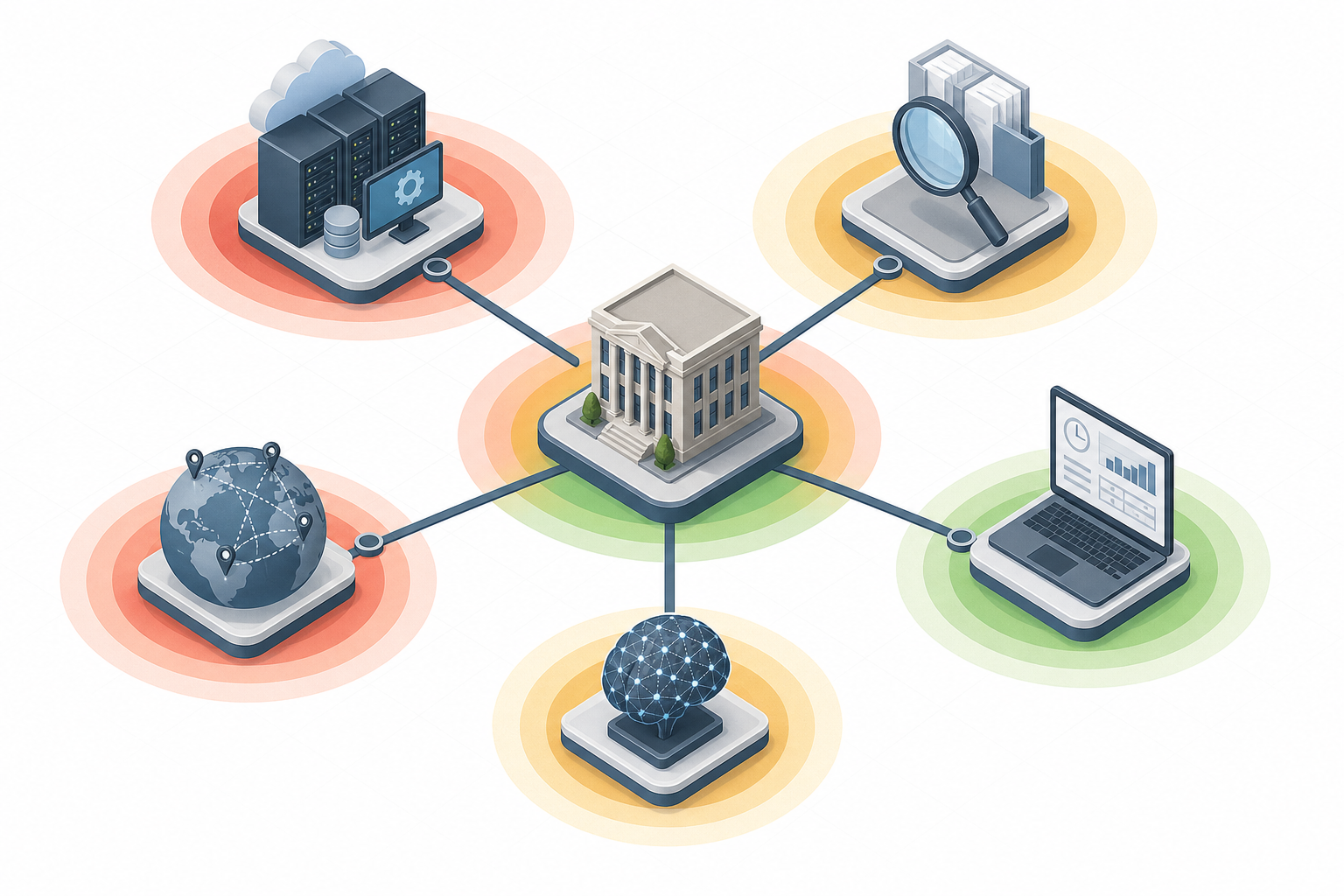
What to audit and when
| Priority window | Action | Where to look | Owner | Evidence to capture |
|---|---|---|---|---|
| Next 72 hours | Block known proxyware/“bandwidth sharing” apps; enforce store‑only installs on managed Android/Windows/macOS | MDM/EDR policies, managed app catalogs | IT lead / MSP | Policy IDs, device compliance reports |
| Next 72 hours | Ask vendors, “Do you use residential proxies or NetNut (direct or reseller)?” Get written attestations. | Docketing, intake, data enrichment, marketing ops | Operations manager / Procurement | Vendor responses, contract addenda |
| Next 7 days | Tighten sign‑in risk policies; add rules for residential ASN geolocation and impossible travel | Microsoft Entra/Okta, SIEM, WAF | Security admin | Conditional access rules, SIEM detections |
| Next 30 days | Update engagement letters and RFP boilerplate to prohibit unauthorized residential proxies | Client intake templates, vendor T&Cs | Managing partner / GC | Template versions, client communications |
A 10‑step detection and hardening playbook
- 1) Flag sudden IP reputation friction. In your identity provider, watch for spikes in MFA prompts, deny‑by‑risk decisions, or “anonymous/unknown” ASNs from remote staff networks. Tune conditional access to step‑up auth when logins originate from known residential proxy ranges.
- 2) Hunt for proxyware and suspicious SDKs. On firm‑managed endpoints, block or remove “earn by sharing bandwidth” apps and gray‑market VPNs. For Android TV/streaming devices in office lounges, allow only certified platforms and curated app lists. See Google’s guidance on Play Protect and app hygiene: cloud.google.com.
- 3) Add SIEM detections for residential egress patterns. Create detections for high‑velocity scraping attempts, password spray behavior, and impossible geolocation shifts originating from residential IPs. Correlate with user agents tied to TV/IoT ecosystems.
- 4) Require vendor attestations. Immediately ask data, marketing, scraping, and research vendors to attest they do not use residential proxies without documented, informed consent. Reference the FBI/Google action in your memo.
- 5) Lock down API keys. Rotate and scope keys for research tools, AI assistants, and CRM integrations. If a vendor used NetNut, their traffic patterns will change; ensure your throttles and alerting match the new normal.
- 6) Expand allow/deny lists carefully. Avoid hard‑coding large residential CIDR blocks (you’ll break legitimate remote work). Prefer adaptive controls: device health, strong MFA, and context‑aware policies over pure IP lists.
- 7) Isolate guest and IoT networks. Segment smart TVs, streaming boxes, and office IoT onto a separate VLAN/SSID with no lateral access to firm systems.
- 8) Brief attorneys and staff. Share a two‑paragraph advisory: do not sideload apps; avoid “free VPNs” and “share bandwidth” offers; update TV/streaming devices from official stores only.
- 9) Document for insurers. Note the date (July 2, 2026) of the NetNut seizure in your risk register, the checks you performed, vendor attestations obtained, and any rules updated. This helps with cyber policy renewals and breach sublimits tied to “reasonable security” clauses.
- 10) Plan a quarterly review. The residential proxy ecosystem is fluid and full of resellers. Calendar a quarterly vendor/IP reputation review until the market stabilizes. Google warns that proxy operators often “buy capacity” from competitors after takedowns.
What clients, courts, and insurers will ask next
Clients: Enterprise legal departments will ask whether your firm or its vendors used residential proxies, and how you validated consent. Be ready with a one‑page summary of controls, vendor attestations, and the steps above.
Courts and opposing counsel: If your investigations, web captures, or public‑record monitoring relied on residential proxies to bypass controls, you could face questions about authorization and data provenance. Ensure your workflows align with platform terms and ethical duties (competence, confidentiality, supervision) before the issue surfaces in motion practice.
Insurers: Expect questionnaires on remote workforce controls, IoT segmentation, and vendor management. Maintaining evidence that you audited post‑July 2, 2026 will reduce friction at renewal.
The bottom line
The NetNut seizure is not just a takedown story—it’s a teachable moment for legal operations. Residential proxy networks thrive in the gray: consumer devices with opaque SDKs, vendors chasing efficiency, and firms relying on trust more than verification. Starting today, tighten identity risk rules, isolate IoT, demand vendor clarity, and memorialize your actions. This isn’t about perfection; it’s about demonstrable, risk‑based controls that protect client confidentiality and keep your practice running smoothly as the proxy ecosystem realigns.
Further reading and sources: krebsonsecurity.com, cloud.google.com, nasdaq.com, spur.us. For context on prior proxy botnet enforcement, see the FBI’s 2024 guidance on removing 911 S5 backdoored VPN apps: fbi.gov.
Ready to explore how you can streamline your processes? Reach out to A.I. Solutions today for expert guidance and tailored strategies.